What it does
- Deletes all files and data saved by the selected user on this computer only
- Frees up space and removes old profiles
What this does NOT do:
- Does not delete or disable the user's account from the OPS servers
- Does not affect their ability to log into other computers or services
Important notes:
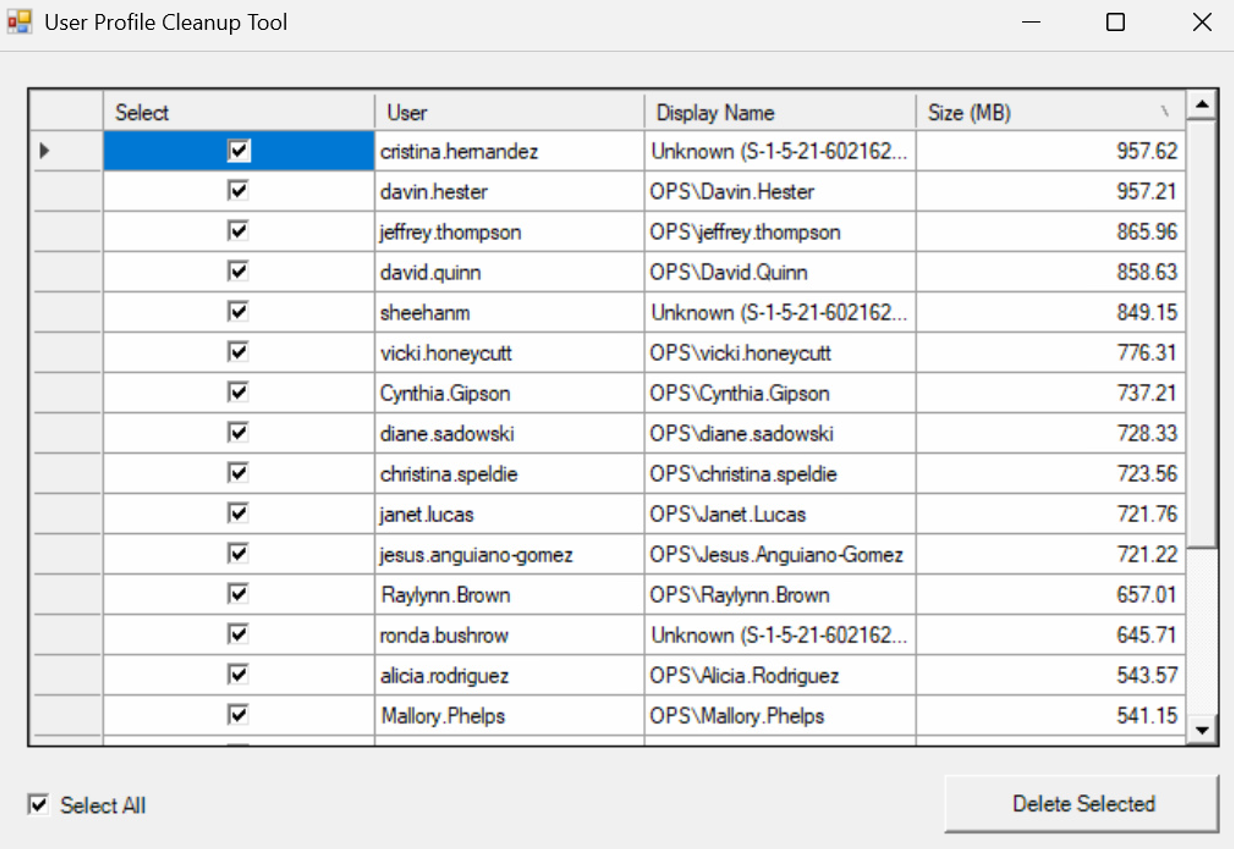
- Unknown accounts are users that no longer work in the district, but have logged onto the device at some point during their time at OPS.
- DOUBLE CHECK TO MAKE SURE ALL SELECTED ACCOUNTS ARE ACCOUNTS YOU WANT REMOVED FROM THIS COMPUTER. THERE IS NO UNDO!
- No progress will be shown while the tool deletes accounts, and you will not be able to interact with the window until the cleanup is complete. This process may take some time, depending on the number of accounts.
- Please ensure you are logged into the computer as yourself, especially if it is your assigned device, before running the tool. This will help prevent accidentally deleting your own account from the computer.
- This action permanently removes the user's files from this device.
- Deleted users can sign back into this computer again at any time, but their previous data will be gone from this device.
Using the Tool
- Open Filewave Kiosk using the icon on your desktop.

- Click Utilities on the left.
- Look for the User Account Cleanup with the following Icon.

- Click Install run the tool.
NOTE: Click the down arrow and reinstall if you have already installed the tool before.

- It may take a bit for it to gather the information needed, but it will eventually display a window with all user accounts on the computer excluding yours.
- When the window appears, select the accounts you want to remove and click Delete Selected.
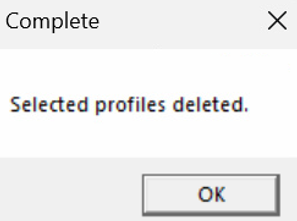
- When the process is complete, a prompt will appear advising that the tool has completed the clean up process.
- If you need to run it again in the future use the reinstall option from Filewave Kiosk .